If you've typed "family tree builder" into a search engine recently, chances are Ancestry showed up first. It's the biggest name in genealogy, and for good reason - it has an enormous historical record collection and decades of brand recognition. But "biggest" and "best fit for you" aren't always the same thing, and plenty of people land on Ancestry, get overwhelmed by the records paywall, and go looking for something simpler and more visual.
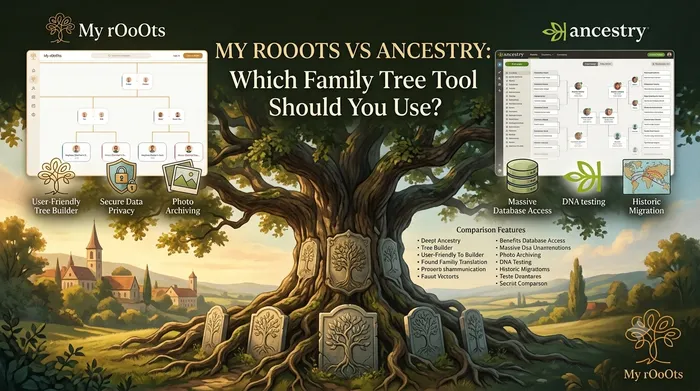
That's usually where MyRooots comes in. We're not trying to be a smaller Ancestry - we're built for a genuinely different job. This post is a straightforward, honest comparison of both, so you can figure out which one actually matches what you're trying to do.
What Ancestry Is Built For
Ancestry's core strength is historical research. It's essentially a massive searchable archive - census records, immigration manifests, military records, newspaper clippings, and DNA-matched relatives - all stitched together with a family tree as the organizing scaffold. You build a tree mainly so Ancestry's search engine can suggest documents and matches for each person on it.
That makes Ancestry excellent if your main goal is digging up records: proving a great-grandparent's birth year, tracking down a ship manifest, or connecting with DNA cousins you've never met. The tree itself is almost secondary in the experience - it exists to power the research engine underneath it, and a lot of the useful features sit behind a recurring subscription.
What MyRooots Is Built For
MyRooots starts from a different question: what if the family tree itself was the product, not a hook to sell record access? We're built for people who want to actually build, visualize, and share a family tree with living relatives, photos, and family stories - not just chase archival documents.
That shows up in a few concrete ways:
- A visual-first tree editor. MyRooots is built around an interactive, zoomable tree view designed to be genuinely pleasant to explore and easy to send to relatives, not just a data-entry form bolted onto a search index.
- No record subscription required. You don't need a paid records package to get started - you can build your tree, add relatives, and attach photos and stories without hitting a paywall on day one.
- Comfortable with living family. MyRooots works well for a tree that's mostly living relatives - cousins, in-laws, grandkids, new babies - not just deceased ancestors pulled from historical documents.
- GEDCOM import and export. If you've already built a tree elsewhere, including Ancestry, you can bring it into MyRooots instead of starting from scratch, and take your data back out again whenever you want.
Feature-by-Feature Comparison
| MyRooots | Ancestry | |
|---|---|---|
| Best for | Building and sharing a living family tree | Deep historical record research |
| Historical record archive | No - focuses on the tree, not document search | Yes, one of the largest in the world |
| DNA testing and matching | No | Yes, via the separate AncestryDNA product |
| Free tier | Core tree-building is free | Free tree exists, but most records are paywalled |
| Visual tree experience | Zoomable, share-friendly tree view | Functional, but secondary to record search |
| GEDCOM export | Yes, your data is portable | Yes, but export is buried in account settings |
| Best for living relatives | Yes | Not really the focus |
Which One Should You Actually Use?
Honestly, for a lot of families the answer is "both, for different reasons." If you're trying to break through a genealogical brick wall - find a birth certificate, confirm an immigration date, match with unknown DNA relatives - Ancestry's record archive is hard to beat, and no free tool will fully replace it.
But if what you actually want is a family tree you can build this weekend, fill in with your living relatives, attach photos and stories to, and share with your parents without asking them to pay for a subscription, MyRooots is built for exactly that. Many people use MyRooots as the tree they actually look at and share, and keep Ancestry (or a GEDCOM export from it) as the research archive behind it.
Frequently Asked Questions
Can I import my existing Ancestry tree into MyRooots?
Yes. Ancestry lets you export your tree as a GEDCOM file from your account settings, and MyRooots can import that file to rebuild your tree structure, names, and dates without you re-entering everything by hand.
Is MyRooots really free, or is that just a trial?
Core family tree building - adding relatives, building out the tree visually, and attaching photos - doesn't require a paid records subscription the way Ancestry's deeper features do. There's no bait-and-switch trial clock on the tree itself.
Does MyRooots have historical records like Ancestry does?
No, and we're upfront about that. MyRooots isn't a historical document archive - it's a tool for building and sharing the tree itself. If deep record research is your primary goal, Ancestry (or a dedicated archive site) is the better fit for that specific job.
Which tool is better for a tree with mostly living relatives?
MyRooots. Ancestry is optimized around deceased ancestors and documented history, while MyRooots is comfortable with trees that are mostly living family - which matters if your goal is keeping cousins, in-laws, and new additions connected rather than researching the distant past.
Can I use MyRooots and Ancestry together?
Yes, and many people do. A common pattern is doing record research on Ancestry, then exporting a GEDCOM file and using MyRooots as the everyday tree you actually share with family, since it's built to be visual and easy to hand to relatives who aren't genealogists themselves.
Editor's picks
28 August 2026
Best GEDCOM Viewer and Family Tree Converter Tools in 2026: Which One Should Serious Researchers Choose?
Compare the top GEDCOM viewer and converter tools worldwide and see why My rOoOts GEDCOM Viewer stands out for serious family history researchers who need privacy, speed and clean exports.
8 August 2026
Best Family Tree Generators in 2026: Free and Easy Tools for Building Your Family History
Looking for the best family tree generator in 2026? Compare free and paid tools, learn what features matter, and choose the right family tree maker for your family history project.
26 July 2026
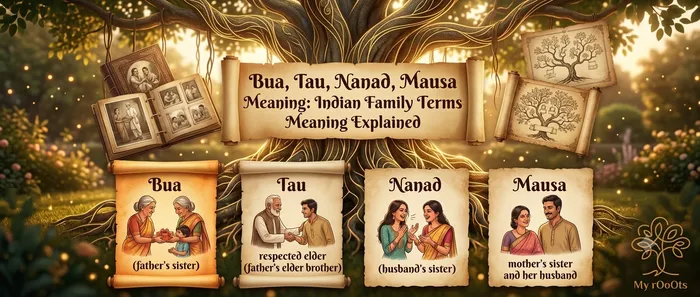
Bua, Tau, Nanad, Mausa Meaning: Indian Family Terms Meaning Explained
A plain-English guide to Indian family relationship names: what bua's husband is called (fufa), what mausa, tau, jija ji and nanad mean, and how Hindi kinship terms map to English relatives like aunt, uncle and in-law.

9 August 2026
Narendra Modi Family History and Tree: Parents, Siblings, and Ancestral Roots
Explore Narendra Modi’s family history, including his parents Damodardas and Heeraben Modi, siblings, early life in Vadnagar, and a clear look at his family tree and roots.
Download a Free Family Tree Template
Want to draw your family tree yourself? The My rOoOts Family Tree Template provides a free printable blank pedigree chart for documenting your family history across multiple generations.
👉 Download a free family tree template: Family Tree Template
Choose a 3-generation, 4-generation, or 5-generation family tree template and save it as a PDF for printing, writing, and documenting your ancestors.
Create Your Family Tree for Free
Start building your family history in minutes with the My rOoOts Free Family Tree Creator. Add parents, grandparents, children, and relatives, organize generations visually, and create a beautiful family tree that you can save and share.
👉 Create your free family tree: Free Family Tree Creator
No design skills required. Simply enter your family details and generate a clear, easy-to-read family tree online for free.
Check Zodiac Compatibility for Any Two People
Curious about how well two people match based on their date of birth? Try the My rOoOts Zodiac Compatibility Tool to compare zodiac signs, explore relationship compatibility, and get a quick compatibility score for couples, friends, or family members.
👉 Check compatibility now: Zodiac Compatibility Calculator
You can enter two dates of birth and even mention the relationship type to get a more personalized compatibility result.
Start your family tree free
No account needed to begin. Build it in minutes, then save it whenever you're ready.
Build your family tree