If you've typed "family tree builder" into a search engine, you've probably landed on a dozen listicles that all say roughly the same thing: here are ten great tools, good luck picking one. That's not very helpful when you're trying to decide where to actually put your family's names, dates, and stories tonight.
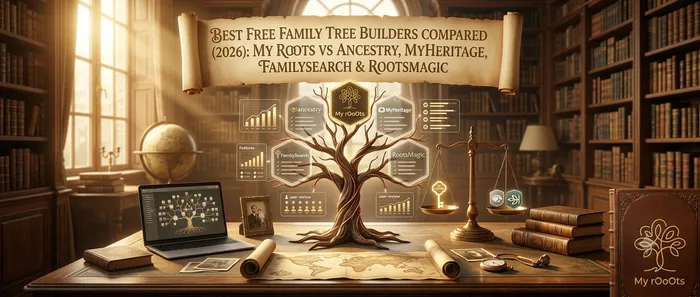
So instead of another broad list, this is a focused, honest comparison of five specific free family tree builders: MyRooots, Ancestry, MyHeritage, FamilySearch, and RootsMagic. We'll look at what each one is actually built for, what "free" really gets you, and which one fits your situation best.
What "free" actually means for these tools
Every tool on this list lets you start a tree without paying, but "free" means very different things depending on the company behind it:
- Free forever, with paid extras - the core tree-building stays free indefinitely; you only pay for optional features like DNA matching.
- Free tree, paywalled records - building the tree itself is free, but the historical documents that back it up (census records, certificates, immigration papers) sit behind a subscription.
- Free desktop software, no ongoing subscription - you own the software outright, but you're responsible for your own backups and syncing.
Knowing which bucket a tool falls into can save you a nasty surprise a few months in, when you've entered two hundred relatives and suddenly hit a paywall to see the next generation.
The comparison at a glance
| Tool | Best for | Core tree-building free? | Records/hints free? | Family collaboration | Runs in browser? |
|---|---|---|---|---|---|
| MyRooots | Families who want a clean, visual tree they build and share together | Yes | Not the focus - built for organizing what you already know | Built-in, designed for multiple relatives to contribute | Yes |
| Ancestry | Deep US/UK historical record research | Yes (tree only) | Limited free hints; full records need a subscription | Basic tree sharing | Yes |
| MyHeritage | International records and photo tools (colorizing, animating old photos) | Yes (tree only) | Limited free hints; most records paywalled | Basic tree sharing | Yes |
| FamilySearch | Free access to a huge global record archive | Yes | Yes, genuinely free record access | Shared by design, since it's one collaborative global tree | Yes |
| RootsMagic | Serious genealogists who want full control of their own data | Yes (RootsMagic Essentials) | No, records are a separate add-on | Limited, single-user by default | Desktop software, plus a companion app |
MyRooots
MyRooots is built around a simple idea: your family tree should be easy to look at, easy to add to, and easy to share with relatives who aren't genealogy hobbyists. Rather than burying you in record-matching and DNA cross-referencing, it focuses on:
- A clean, visual tree layout that stays readable even as your family grows large
- Inviting relatives to view or contribute directly, so building the tree becomes a family project instead of one person's solo hobby
- Keeping photos and memories attached to the people they belong to, instead of scattered across separate apps
If your goal is to get your family's names, relationships, and stories organized somewhere everyone can actually use, MyRooots is built for exactly that, without the learning curve of a full research platform.
Ancestry
Ancestry is the household name, and for good reason: its US and UK record collections are enormous. The free tier lets you build a tree and get a handful of hints, but the real value, census records, ship manifests, military records, sits behind a paid subscription. It's a strong choice if deep historical research is your main goal and you're prepared to eventually pay for record access.
MyHeritage
MyHeritage's free tier works similarly to Ancestry's: free tree building, limited free hints, most records paywalled. Where it stands out is international record coverage (especially European) and its well-known photo tools, like colorizing old black-and-white photos or animating faces. If your family history spans multiple countries and you care about bringing old photos to life, it's worth a look.
FamilySearch
FamilySearch, run by the Church of Jesus Christ of Latter-day Saints, is the rare tool where the records themselves are genuinely free, not just the tree. It maintains one shared, collaborative global tree, meaning distant relatives researching the same ancestor may already have added information to "your" branch. That's powerful for research, but it also means less control: other users can edit shared ancestors, which takes some getting used to if you're expecting a private, personal tree.
RootsMagic
RootsMagic is desktop genealogy software rather than a website, and it's aimed at people who want full ownership of their data. RootsMagic Essentials is free and lets you build and manage a detailed tree on your own computer, with no subscription and no company holding your file. The tradeoff is that you're on your own for backups, sharing usually means exporting a GEDCOM file rather than sending a link, and historical record access is a separate paid add-on.
How to choose
- Want the whole family to see and add to one tree with minimal fuss? Start with MyRooots.
- Chasing US or UK census and immigration records? Ancestry's record depth is hard to beat, once you're ready to pay for it.
- Researching ancestors across multiple European countries, or want old photos restored? MyHeritage.
- Want free record access above all else, and don't mind a shared tree? FamilySearch.
- Want total control over your own genealogy file, no subscription, no cloud dependency? RootsMagic.
Many experienced family historians actually use two of these together: a private, easy-to-share tree for the family (like MyRooots), and a record-heavy research tool (like Ancestry or FamilySearch) for digging up the documents that prove each connection.
Frequently Asked Questions
Is there a truly free family tree builder with no hidden paywall?
MyRooots, FamilySearch, and RootsMagic Essentials all let you build a full tree without hitting a paywall on the tree itself. Ancestry and MyHeritage also let you build a tree for free, but the historical records that back it up are largely behind a subscription on both.
Which family tree builder is easiest for non-technical relatives to use?
MyRooots is designed specifically for this: a visual, uncluttered tree that relatives can view or add to without needing any genealogy background, which matters if you want aunts, uncles, and grandparents actually contributing rather than just one person doing all the data entry.
Can I move my family tree from one tool to another later?
Yes, in most cases. Nearly every family tree builder, including all five compared here, supports exporting and importing a GEDCOM file, which is the standard file format for genealogical data. It won't always carry over photos or notes perfectly, but names, dates, and relationships transfer reliably.
Do I need a paid subscription to start a family tree?
No. Every tool in this comparison lets you create an account and start building a tree for free. Whether you eventually need to pay depends on what you want next, deeper historical records point toward Ancestry, MyHeritage, or a RootsMagic add-on, while simply organizing and sharing what you already know can stay free indefinitely with MyRooots or FamilySearch.
What's the difference between a free family tree builder and free genealogy records?
A family tree builder is the tool you use to enter names, dates, and relationships and view them as a chart. Genealogy records are the underlying historical documents, birth certificates, census entries, and so on, that prove those relationships. Some tools bundle both for free (FamilySearch), some make the builder free but charge for records (Ancestry, MyHeritage), and some focus purely on organizing what you already know rather than searching for new records at all (MyRooots).
Editor's picks
2 September 2026
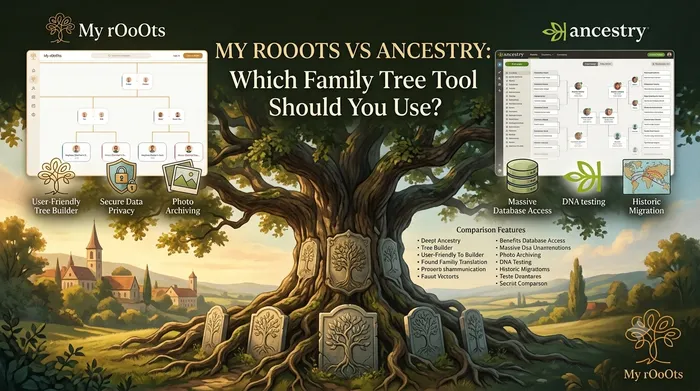
MyRooots vs Ancestry: Which Family Tree Tool Should You Use?
MyRooots and Ancestry both call themselves a family tree builder, but they're solving different problems. Here's a genuine feature-by-feature comparison to help you pick the right one.
28 August 2026
Best GEDCOM Viewer and Family Tree Converter Tools in 2026: Which One Should Serious Researchers Choose?
Compare the top GEDCOM viewer and converter tools worldwide and see why My rOoOts GEDCOM Viewer stands out for serious family history researchers who need privacy, speed and clean exports.
8 August 2026
Best Family Tree Generators in 2026: Free and Easy Tools for Building Your Family History
Looking for the best family tree generator in 2026? Compare free and paid tools, learn what features matter, and choose the right family tree maker for your family history project.
26 July 2026
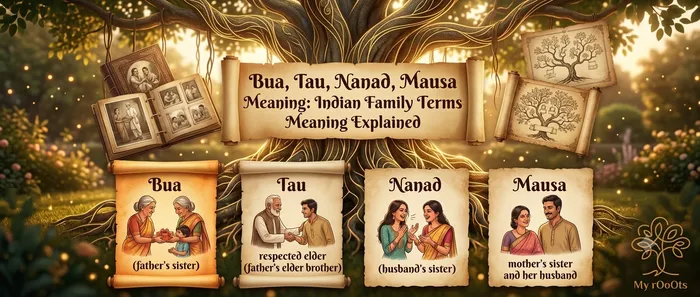
Bua, Tau, Nanad, Mausa Meaning: Indian Family Terms Meaning Explained
A plain-English guide to Indian family relationship names: what bua's husband is called (fufa), what mausa, tau, jija ji and nanad mean, and how Hindi kinship terms map to English relatives like aunt, uncle and in-law.
Download a Free Family Tree Template
Want to draw your family tree yourself? The My rOoOts Family Tree Template provides a free printable blank pedigree chart for documenting your family history across multiple generations.
👉 Download a free family tree template: Family Tree Template
Choose a 3-generation, 4-generation, or 5-generation family tree template and save it as a PDF for printing, writing, and documenting your ancestors.
Understand How Much DNA Relatives Share
How much DNA do cousins share? What percentage of DNA do siblings, grandparents, or uncles typically share? The My rOoOts DNA Relationship Chart makes it easier to understand genetic relationships between different relatives.
👉 Explore the DNA relationship chart: DNA Relationship Chart
Use the chart to explore typical shared DNA percentages and understand the terminology used for parents, siblings, grandparents, cousins, aunts, uncles, and other relatives.
Check Zodiac Compatibility for Any Two People
Curious about how well two people match based on their date of birth? Try the My rOoOts Zodiac Compatibility Tool to compare zodiac signs, explore relationship compatibility, and get a quick compatibility score for couples, friends, or family members.
👉 Check compatibility now: Zodiac Compatibility Calculator
You can enter two dates of birth and even mention the relationship type to get a more personalized compatibility result.
Create Your Family Tree for Free
Start building your family history in minutes with the My rOoOts Free Family Tree Creator. Add parents, grandparents, children, and relatives, organize generations visually, and create a beautiful family tree that you can save and share.
👉 Create your free family tree: Free Family Tree Creator
No design skills required. Simply enter your family details and generate a clear, easy-to-read family tree online for free.
Start your family tree free
No account needed to begin. Build it in minutes, then save it whenever you're ready.
Build your family tree