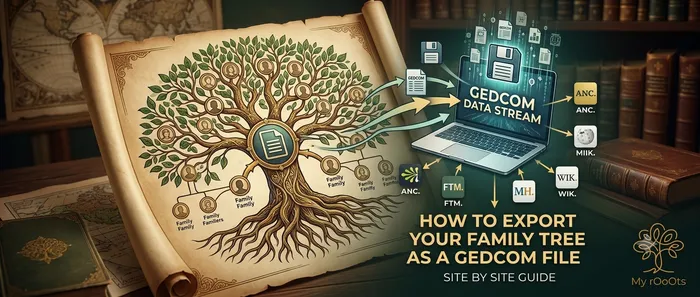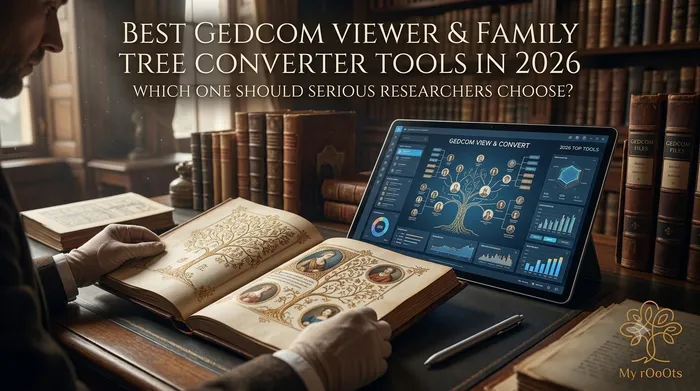
GEDCOM (.ged) remains the universal standard for moving family trees between different genealogy programs. Whether you export from Ancestry, FamilySearch, MyHeritage, Gramps, RootsMagic or another platform, you eventually need a reliable way to open, view, check and convert that file.
Many tools claim to handle GEDCOM well. For serious researchers and users who care about data control, privacy and clean output, the differences matter. This article reviews the main categories of GEDCOM viewers and converters and explains why the My rOoOts GEDCOM Viewer is a strong practical choice.
What a Good GEDCOM Tool Must Do
A useful GEDCOM viewer or converter should:
- Open standard .ged files without forcing an account first
- Display relationships clearly as a family tree
- Protect privacy (ideally by processing the file locally when possible)
- Allow export to common formats (GEDCOM again, image, PDF)
- Work for both small and larger trees
- Avoid locking your data inside one ecosystem
Serious users usually want speed, transparency and the ability to move data freely.
Main Types of GEDCOM Tools Available
| Type of Tool | Examples | Strengths | Limitations for Serious Users |
|---|---|---|---|
| Desktop genealogy software | Gramps, RootsMagic, Family Tree Maker | Powerful editing, citations | Requires installation; learning curve |
| Large online platforms | Ancestry, MyHeritage, FamilySearch | Huge record collections | Data stays in their system; privacy trade-offs |
| Simple online viewers | Various free web tools | Quick look at a file | Limited editing, poor export options |
| Browser-based focused tools | My rOoOts GEDCOM Viewer | Fast, private, editable tree | Newer platform; smaller record database |
Quick Comparison of Popular Options
Gramps
Excellent free desktop program with strong GEDCOM support and advanced reporting. Ideal for power users who prefer offline work. Requires installation and regular backups.
Ancestry / MyHeritage / FamilySearch
These platforms accept GEDCOM uploads and let you continue research inside their ecosystems. Convenient if you already use their records, but your tree becomes tied to their service and privacy policies.
Generic online GEDCOM viewers
Many free sites let you upload a .ged file and see a basic chart. Most offer little editing power, limited export quality, and sometimes unclear data handling.
My rOoOts GEDCOM Viewer
A focused browser tool designed for people who want to open a GEDCOM quickly, see a real editable family tree, and keep control of their data.
Why My rOoOts Suits Serious Users and Researchers
The My rOoOts GEDCOM Viewer & Converter is built around practical research needs:
- No sign-up required to start — Upload a .ged file and view the tree immediately.
- Browser-based processing — The file is read in your browser first; only necessary data is used when you choose to work with the tree.
- Instant visual family tree — Relationships appear as a clear, navigable tree rather than a raw text dump.
- Editable after import — You can adjust, expand and improve the tree once it is loaded.
- Clean export options — Export back to GEDCOM, high-resolution PNG, or print/save as PDF.
- Privacy-oriented — Trees remain private unless you decide to share them.
- Free to begin — Larger trees become fully available after a free sign-in; there is no forced subscription to view or basic editing.
These features matter when you are checking an export from another program, cleaning data before sharing with relatives, or moving a tree between systems without losing structure.
Who Should Choose Which Tool?
| User Type | Recommended Direction |
|---|---|
| Advanced offline researcher | Gramps or RootsMagic |
| Heavy record researcher | Ancestry / FamilySearch / MyHeritage |
| Quick one-time file check | Simple online viewer |
| Serious user who wants privacy, speed and clean conversion | My rOoOts GEDCOM Viewer |
If your priority is opening a GEDCOM, understanding the relationships at a glance, editing carefully, and exporting cleanly without locking yourself into one commercial platform, My rOoOts is designed for that workflow.
How to Use the My rOoOts GEDCOM Tool
- Go to https://myrooots.app/gedcom-viewer
- Drop or select your .ged file
- Explore the resulting family tree
- Edit details if needed
- Export to GEDCOM, PNG or PDF when ready
- Optionally save the tree permanently on My rOoOts and continue building
The same platform also offers a Family Tree Generator, Ancestor Timeline Generator and Relationship Calculator, so your imported data can grow into a fuller research workspace.
Conclusion
The best GEDCOM viewer depends on your goals. Desktop programs such as Gramps remain excellent for deep offline work. Large platforms are powerful when you need their record collections. For serious users and researchers who value a fast, private, browser-based way to open, view, edit and convert GEDCOM files without unnecessary lock-in, the My rOoOts GEDCOM Viewer is a practical and focused choice.
Try it directly with your own file at https://myrooots.app/gedcom-viewer and see how cleanly your existing research appears as a living family tree.
Editor's picks
26 July 2026
10 Reasons Every Indian Family Should Create a Digital Family Tree
Discover why every Indian family should create a digital family tree to preserve memories, document relationships, and pass their family legacy to future generations.
26 July 2026
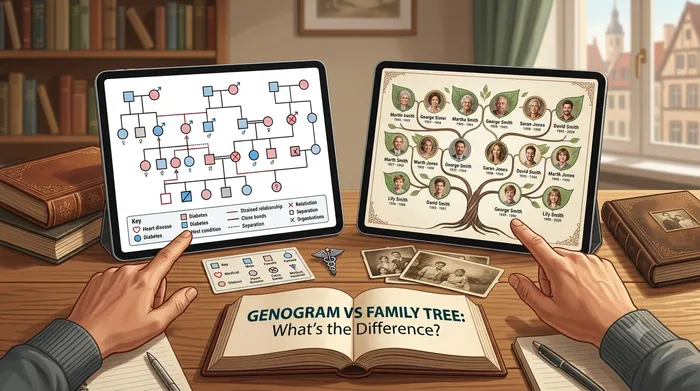
Genogram vs Family Tree: What's the Difference (and Which Do You Need)?
The two terms get used interchangeably, but genograms and family trees serve different purposes. Here's how to tell them apart, and which one fits your goal.
29 July 2026
Family Tree vs Genealogy: What’s the Difference?
Many people use the terms “family tree” and “genealogy” interchangeably, but they aren’t exactly the same. Learn the differences and discover how both help preserve your family’s history.
29 July 2026
The Importance of Recording Family Migration Stories and Ancestral Journeys
Every family’s journey includes moments of change: moving cities, crossing borders, or starting a new life somewhere new. Learn how to preserve these migration stories and connect them with your family history.
Download a Free Family Tree Template
Want to draw your family tree yourself? The My rOoOts Family Tree Template provides a free printable blank pedigree chart for documenting your family history across multiple generations.
👉 Download a free family tree template: Family Tree Template
Choose a 3-generation, 4-generation, or 5-generation family tree template and save it as a PDF for printing, writing, and documenting your ancestors.
Create Your Family Tree for Free
Start building your family history in minutes with the My rOoOts Free Family Tree Creator. Add parents, grandparents, children, and relatives, organize generations visually, and create a beautiful family tree that you can save and share.
👉 Create your free family tree: Free Family Tree Creator
No design skills required. Simply enter your family details and generate a clear, easy-to-read family tree online for free.
Understand How Much DNA Relatives Share
How much DNA do cousins share? What percentage of DNA do siblings, grandparents, or uncles typically share? The My rOoOts DNA Relationship Chart makes it easier to understand genetic relationships between different relatives.
👉 Explore the DNA relationship chart: DNA Relationship Chart
Use the chart to explore typical shared DNA percentages and understand the terminology used for parents, siblings, grandparents, cousins, aunts, uncles, and other relatives.
Find How Two People Are Related
Wondering whether someone is your second cousin, great-uncle, niece, or another relative? Use the My rOoOts Relationship Calculator to quickly calculate family relationships and understand how two people are connected through their shared ancestors.
👉 Calculate a family relationship: Relationship Calculator
Enter the relationship details to discover cousin relationships, direct ancestors, descendants, and other family connections with an easy-to-understand result.
Check Zodiac Compatibility for Any Two People
Curious about how well two people match based on their date of birth? Try the My rOoOts Zodiac Compatibility Tool to compare zodiac signs, explore relationship compatibility, and get a quick compatibility score for couples, friends, or family members.
👉 Check compatibility now: Zodiac Compatibility Calculator
You can enter two dates of birth and even mention the relationship type to get a more personalized compatibility result.
Start your family tree free
No account needed to begin. Build it in minutes, then save it whenever you're ready.
Build your family tree