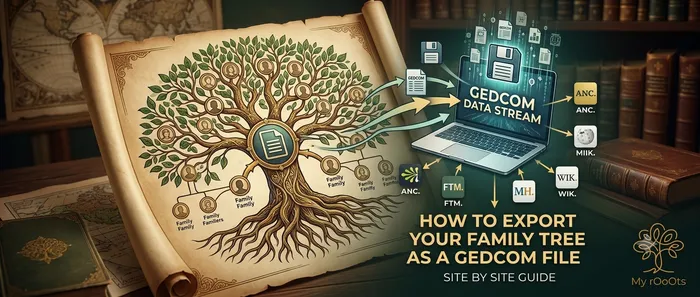
A GEDCOM file, with the extension .ged, is the closest thing genealogy has to a universal format. Almost every family tree site and program can export one and import one, which makes it the reason you are never truly locked into a single service.
If you are thinking about moving, cancelling a subscription, or just want a backup that does not depend on a company still existing in ten years, this is the file you want.
Where the export button is
Ancestry. Go to Trees, pick the tree, then Tree Settings. On the Tree Info tab there is an Export tree button. It prepares the file, which can take a few minutes on a large tree, then gives you a download link.
MyHeritage. Open Family tree, then Manage trees. Find the tree in the list and choose Export to GEDCOM. The file is emailed to you rather than downloaded directly.
FamilySearch. There is no direct export, because the tree is shared rather than owned. Use a third-party tool authorised against your account, such as RootsMagic's free tier, to pull your lines into a local file and export from there.
Geni. Under your tree, look for the family group's settings. Some export functionality is limited to Geni Pro accounts, so check before relying on it.
WikiTree. Use the GEDCOMpare tool area, or request a export of profiles you manage from your profile's settings.
Findmypast. Open your tree, then the tree menu, then Export tree. The GEDCOM downloads directly.
RootsMagic, Gramps, Legacy and most desktop programs. File, then Export, then choose GEDCOM. Desktop programs generally give you the most control over what is included.
What survives the export, and what does not
This is the part that surprises people, so it is worth knowing before you cancel anything.
Comes across reliably: names, dates, places, the relationships between people, notes, and usually the source citations as text.
Usually does not come across: photographs and document images, record images you unlocked through a subscription, DNA matches, hints, and anything the site generated for you rather than stored as data.
The practical consequence: download your photos separately before you cancel a subscription. The GEDCOM preserves your research. It does not preserve the images attached to it. Most sites offer a separate media download or a bulk photo export, and it is worth doing at the same time.
Check the file before you rely on it
Two things worth a moment. First, open the file and confirm it is not tiny: a tree with hundreds of people should be well over a hundred kilobytes. Second, load it into something to confirm it actually parses, rather than discovering a problem the day you need it.
You can drop it here to check it right now. Nothing is emailed, and you do not need an account to look.
A note on character encoding
If your tree contains accented characters, non-Latin scripts or older-style names, check that they survived. GEDCOM has several encodings in circulation and older exports sometimes mangle anything outside plain ASCII. If names come through with question marks or odd symbols, re-export choosing UTF-8 if the site offers the option.
How often to do this
Once a year is a sensible baseline for an active tree, and always before you cancel a subscription, change platforms, or make a large structural change you might want to undo. The file is small, so keeping several dated copies costs nothing.
Frequently Asked Questions
What is a GEDCOM file?
A plain text file, with the extension .ged, that stores a family tree in a format nearly every genealogy site and program can read. It is what makes a tree portable between services.
Do photos export in a GEDCOM?
Usually not. A GEDCOM reliably carries names, dates, places, relationships and notes. Photographs and record images generally need a separate download, which is the single most common thing people lose when they cancel a subscription.
Can I open a GEDCOM file without installing software?
Yes. You can drop one into a browser-based viewer and see the tree straight away. That is also the quickest way to confirm an export actually worked before you rely on it.
Why are the accented characters wrong in my GEDCOM?
Character encoding. GEDCOM has several encodings in circulation and older exports can mangle anything outside plain ASCII. Re-export choosing UTF-8 if the site offers it.
How often should I export my family tree?
Once a year for an active tree, and always before cancelling a subscription, switching platforms or making a large change you might want to undo. The files are small, so keeping dated copies costs nothing.
Editor's picks
20 September 2026
Free Alternatives to Geni and WikiTree: Keeping a Family Tree That Stays Yours
Geni and WikiTree share a design decision: there is one profile per person, and it is not only yours. Here is what to use if that is the part you want to leave behind.
20 September 2026
Free Alternatives to MyTrueAncestry: Getting a Real Family Tree Instead
MyTrueAncestry tells you which ancient samples your DNA resembles. That is entertaining, but it is a different job from documenting your actual family. Here is what to use for which.
5 September 2026
Free Alternatives to MyHeritage: The Best No-Cost Options for Building Your Family Tree
Looking for a free MyHeritage alternative? Here's an honest breakdown of the tools that let you build, share, and preserve your family tree without a subscription.
20 September 2026
Free Alternatives to Ancestry: What You Can Use Without a Subscription
Ancestry's tree builder is free, but most of what makes it useful is not. Here are the genuinely free alternatives, what each one replaces, and how to take your tree with you.
20 September 2026
Free Alternatives to FamilySearch: When a Private Family Tree Makes More Sense
FamilySearch costs nothing, so people looking for an alternative are rarely doing it over price. They are doing it because someone else edited their great-grandfather.
20 September 2026
Free Alternatives to Findmypast for UK and Irish Family History
Findmypast holds British and Irish records you cannot get elsewhere. But a surprising amount of UK and Irish genealogy is free if you know which sites hold what.
Download a Free Family Tree Template
Want to draw your family tree yourself? The My rOoOts Family Tree Template provides a free printable blank pedigree chart for documenting your family history across multiple generations.
👉 Download a free family tree template: Family Tree Template
Choose a 3-generation, 4-generation, or 5-generation family tree template and save it as a PDF for printing, writing, and documenting your ancestors.
Check Zodiac Compatibility for Any Two People
Curious about how well two people match based on their date of birth? Try the My rOoOts Zodiac Compatibility Tool to compare zodiac signs, explore relationship compatibility, and get a quick compatibility score for couples, friends, or family members.
👉 Check compatibility now: Zodiac Compatibility Calculator
You can enter two dates of birth and even mention the relationship type to get a more personalized compatibility result.
Create Your Family Tree for Free
Start building your family history in minutes with the My rOoOts Free Family Tree Creator. Add parents, grandparents, children, and relatives, organize generations visually, and create a beautiful family tree that you can save and share.
👉 Create your free family tree: Free Family Tree Creator
No design skills required. Simply enter your family details and generate a clear, easy-to-read family tree online for free.
Start your family tree free
No account needed to begin. Build it in minutes, then save it whenever you're ready.
Build your family tree