FamilySearch is free, permanently, with no tier to upgrade to. So when someone looks for a FamilySearch alternative, it is almost never about money. It is usually one of two things, and they have different answers.
Reason one: someone changed your ancestors
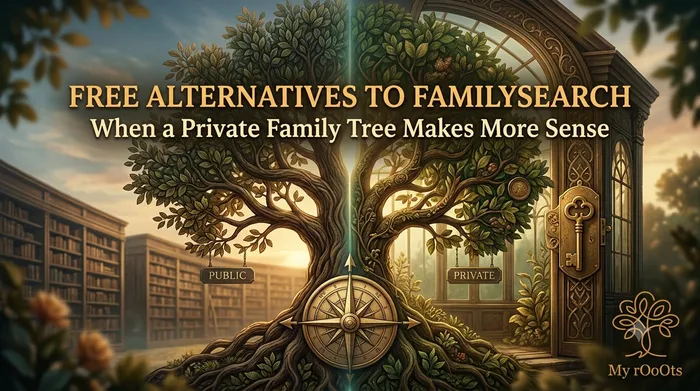
FamilySearch is built on a single shared tree of the world. There is one profile for your great-grandfather, and it is the same profile everyone descended from him is working on. That design has a real upside: instead of forty families each maintaining a duplicate, everyone improves one record, and you can inherit decades of someone else's research on a line you have barely started.
The downside is the one people run into. Another user can merge, rename, re-date or re-parent a person you carefully sourced. Sometimes they are right and you learn something. Sometimes they are working from a family legend and your documented 1881 census entry quietly disappears.
If that is why you are here, you do not want a bigger archive. You want your own copy that nobody else can edit.
Reason two: you want something your family will actually open
FamilySearch's tree interface is built for researchers. It is dense, it is record-first, and it assumes you know what a "reason statement" is. Handing that to an aunt who just wants to see how she is related to someone is usually a dead end.
If that is the reason, you want a tree that is shareable and readable rather than one optimised for research.
The alternatives, by which problem they solve
| Tool | Free | Your own copy | Record archive | Easy for relatives |
|---|---|---|---|---|
| My rOoOts | Yes | Yes, private by default | No | Yes, share a link |
| Gramps | Yes | Yes, on your machine | No | No, send a file |
| RootsMagic | Free tier | Yes, on your machine | No | No, send a file |
| Ancestry | Subscription | Yes, private trees | Yes, large | Yes, with limits |
| WikiTree | Yes | No, collaborative | Limited | Public profiles |
Note that WikiTree, although a common suggestion, has the same shared-tree model as FamilySearch. If a stranger editing your ancestors is the thing you are escaping, it will not fix it. It does enforce sourcing more strictly, which reduces how often it happens.
The approach most researchers settle on
Keep both. Use FamilySearch for what it is unmatched at, which is the free record collection and the collaborative research on deep lines. Keep your own private tree as the authoritative copy of what you personally have evidence for. Export from FamilySearch periodically so your copy stays current.
That way an over-eager merge on the shared tree costs you nothing, because your version is untouched.
Getting your tree out of FamilySearch
FamilySearch does not have a single "export my tree" button the way most sites do, because the tree is not strictly yours to export. The usual route is a third-party tool authorised against your account, such as RootsMagic's free tier or Ancestry's FamilySearch integration, which pulls your line into a local file you can then export as a GEDCOM.
Move your FamilySearch tree over in one step
If you have already exported your tree, you do not need to retype any of it. Drop the .ged file below and it becomes a browsable family tree straight away. It is free to view, and a free account saves it permanently and lifts the guest preview limit.
Not exported yet? The step-by-step GEDCOM export guide covers FamilySearch and every other major site.
Frequently Asked Questions
Why would anyone leave FamilySearch if it is free?
Almost always because of the shared tree. There is one profile per person and other users can edit, merge or re-parent your ancestors. People do not want a cheaper option, they want a copy nobody else can change.
Can I stop other people editing my ancestors on FamilySearch?
Not in general. Living people are private to you, but deceased profiles are collaborative by design. You can add reason statements and sources to make a change less likely to stick, and you can watch profiles to be notified, but you cannot lock them.
How do I export my tree from FamilySearch?
There is no direct export button, because the shared tree is not owned by any one user. The usual route is a third-party tool authorised against your account, such as RootsMagic's free tier, which downloads your lines locally so you can export a GEDCOM from there.
Is WikiTree a good alternative to FamilySearch?
Only for some reasons. It has stricter sourcing standards, which helps. But it uses the same single shared tree model, so if you are leaving because strangers edit your ancestors, WikiTree will not solve that.
Editor's picks
20 September 2026
Free Alternatives to Geni and WikiTree: Keeping a Family Tree That Stays Yours
Geni and WikiTree share a design decision: there is one profile per person, and it is not only yours. Here is what to use if that is the part you want to leave behind.
20 September 2026
Free Alternatives to MyTrueAncestry: Getting a Real Family Tree Instead
MyTrueAncestry tells you which ancient samples your DNA resembles. That is entertaining, but it is a different job from documenting your actual family. Here is what to use for which.
5 September 2026
Free Alternatives to MyHeritage: The Best No-Cost Options for Building Your Family Tree
Looking for a free MyHeritage alternative? Here's an honest breakdown of the tools that let you build, share, and preserve your family tree without a subscription.
20 September 2026
Free Alternatives to Ancestry: What You Can Use Without a Subscription
Ancestry's tree builder is free, but most of what makes it useful is not. Here are the genuinely free alternatives, what each one replaces, and how to take your tree with you.
20 September 2026
Free Alternatives to Findmypast for UK and Irish Family History
Findmypast holds British and Irish records you cannot get elsewhere. But a surprising amount of UK and Irish genealogy is free if you know which sites hold what.
20 September 2026
How to Export Your Family Tree as a GEDCOM File, Site by Site
A GEDCOM file is the one thing that makes a family tree portable. Here is exactly where the export button is on every major site, and what gets left behind when you use it.
Download a Free Family Tree Template
Want to draw your family tree yourself? The My rOoOts Family Tree Template provides a free printable blank pedigree chart for documenting your family history across multiple generations.
👉 Download a free family tree template: Family Tree Template
Choose a 3-generation, 4-generation, or 5-generation family tree template and save it as a PDF for printing, writing, and documenting your ancestors.
Create Your Family Tree for Free
Start building your family history in minutes with the My rOoOts Free Family Tree Creator. Add parents, grandparents, children, and relatives, organize generations visually, and create a beautiful family tree that you can save and share.
👉 Create your free family tree: Free Family Tree Creator
No design skills required. Simply enter your family details and generate a clear, easy-to-read family tree online for free.
Start your family tree free
No account needed to begin. Build it in minutes, then save it whenever you're ready.
Build your family tree