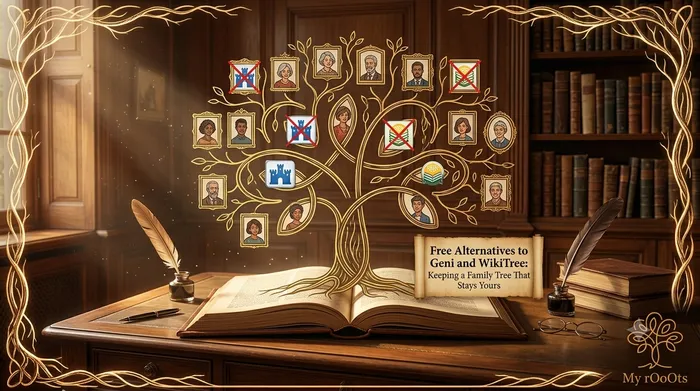
Geni and WikiTree are built on the same idea. Rather than every family keeping a separate tree, there is one profile per human being, and everyone related to that person works on it together. Geni calls the result the World Family Tree; WikiTree calls it the single shared tree. Both are free to use for the core tree building.
When it works, it is remarkable. You add your grandmother, and the system connects her to a branch someone documented twenty years ago, and you have four more generations you did not have to research.
When it does not work, it goes like this.
What people actually want to leave
- Merges you did not ask for. Someone decides your great-uncle and a similarly named man from the next county are the same person, and merges them. Undoing it is slow and sometimes impossible.
- Curators and edit rights. On Geni, profiles of deceased people can become curated, and a curator's view wins. On WikiTree, pre-1700 profiles come under project protection with their own rules.
- Privacy you cannot fully set. Both systems are collaborative by design. Living relatives can usually be kept private, but the model pushes toward openness, and not every family is comfortable with that.
- Data you cannot cleanly take back. Once your research is merged into a shared profile, it is not simply yours to withdraw.
What a private tree does differently
A private tree inverts the trade. You do not inherit anyone else's research, so thin branches stay thin until you do the work. In exchange, nothing changes unless you change it, you decide who sees what, and the whole thing exports cleanly whenever you want.
For most families documenting three or four generations from living memory, the inherited-research upside barely applies. Nobody has already researched your grandmother's village neighbours. The stability matters more.
| Geni | WikiTree | A private tree | |
|---|---|---|---|
| Cost for tree building | Free (Pro tier exists) | Free | Free |
| Who can edit your ancestors | Other users, curators | Other users, projects | Only you and people you invite |
| Inherits others' research | Yes, extensively | Yes | No |
| Merges without your consent | Possible | Possible | Not possible |
| Export your data | GEDCOM, Pro for some features | GEDCOM | GEDCOM |
| Best for | Connecting into deep documented lines | Well-sourced collaborative genealogy | A family record you control |
You do not have to pick only one
The pragmatic answer that experienced researchers land on: keep a private tree as your master copy, and contribute to the shared trees deliberately, on the lines where collaboration is actually paying you back. Your master copy is the thing you back up, share with relatives and hand to the next generation. The shared tree is a research tool you visit.
The only rule that matters is that your master copy lives somewhere you control, and that you can export it.
Move your Geni or WikiTree tree over in one step
If you have already exported your tree, you do not need to retype any of it. Drop the .ged file below and it becomes a browsable family tree straight away. It is free to view, and a free account saves it permanently and lifts the guest preview limit.
Not exported yet? The step-by-step GEDCOM export guide covers Geni or WikiTree and every other major site.
Frequently Asked Questions
Can someone really edit my family tree on Geni or WikiTree?
Yes, on the profiles of deceased people. Both sites are built on one shared tree where a person has a single profile that everyone related to them works on. Living relatives can generally be kept private, but ancestors are collaborative by design.
Can I undo a merge on Geni?
Sometimes, but it gets harder the longer it has been and the more editing has happened since. This is the single most common reason people start keeping a private master copy alongside the shared tree.
Is Geni free?
The core tree building is free. A Pro tier adds features, and some functionality, including parts of the export and matching experience, is limited on free accounts.
Can I use a shared tree and a private tree at the same time?
Yes, and it is what most experienced researchers do. The private tree is the authoritative copy you back up and share with family. The shared tree is a research tool you contribute to where collaboration actually helps.
Editor's picks
20 September 2026
Free Alternatives to MyTrueAncestry: Getting a Real Family Tree Instead
MyTrueAncestry tells you which ancient samples your DNA resembles. That is entertaining, but it is a different job from documenting your actual family. Here is what to use for which.
5 September 2026
Free Alternatives to MyHeritage: The Best No-Cost Options for Building Your Family Tree
Looking for a free MyHeritage alternative? Here's an honest breakdown of the tools that let you build, share, and preserve your family tree without a subscription.
20 September 2026
Free Alternatives to Ancestry: What You Can Use Without a Subscription
Ancestry's tree builder is free, but most of what makes it useful is not. Here are the genuinely free alternatives, what each one replaces, and how to take your tree with you.
20 September 2026
Free Alternatives to FamilySearch: When a Private Family Tree Makes More Sense
FamilySearch costs nothing, so people looking for an alternative are rarely doing it over price. They are doing it because someone else edited their great-grandfather.
20 September 2026
Free Alternatives to Findmypast for UK and Irish Family History
Findmypast holds British and Irish records you cannot get elsewhere. But a surprising amount of UK and Irish genealogy is free if you know which sites hold what.
20 September 2026
How to Export Your Family Tree as a GEDCOM File, Site by Site
A GEDCOM file is the one thing that makes a family tree portable. Here is exactly where the export button is on every major site, and what gets left behind when you use it.
Download a Free Family Tree Template
Want to draw your family tree yourself? The My rOoOts Family Tree Template provides a free printable blank pedigree chart for documenting your family history across multiple generations.
👉 Download a free family tree template: Family Tree Template
Choose a 3-generation, 4-generation, or 5-generation family tree template and save it as a PDF for printing, writing, and documenting your ancestors.
Create Your Family Tree for Free
Start building your family history in minutes with the My rOoOts Free Family Tree Creator. Add parents, grandparents, children, and relatives, organize generations visually, and create a beautiful family tree that you can save and share.
👉 Create your free family tree: Free Family Tree Creator
No design skills required. Simply enter your family details and generate a clear, easy-to-read family tree online for free.
Start your family tree free
No account needed to begin. Build it in minutes, then save it whenever you're ready.
Build your family tree